Small Business Management Excel Workbook – Sales, Purchases, Expenses, Inventory & Dashboard
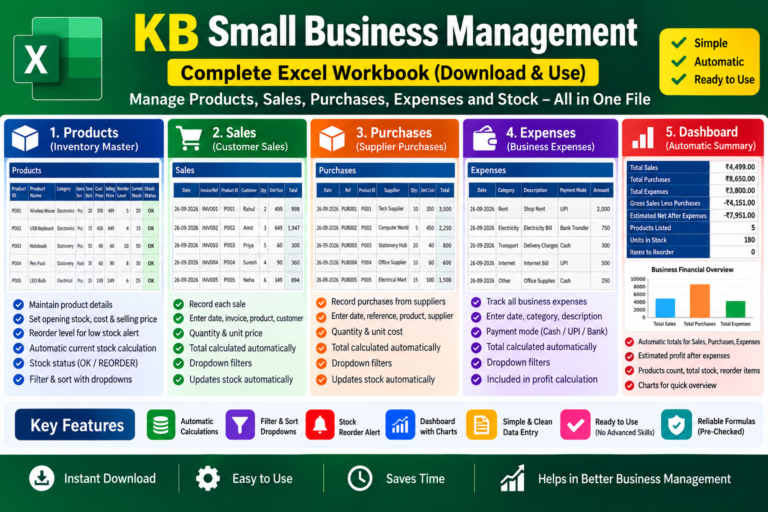
A ready-to-use Excel workbook for managing Products, Sales, Purchases, Expenses and Stock in one place. ✓ Automatic Sales & Purchase Totals ✓ Automatic Current Stock ✓ Stock Reorder Status ✓ Expense Tracking ✓ Automatic Financial Dashboard & Chart ✓ Filter & Sort Support ✓ Built-in Quick Start Guide Simply enter your business data and let the workbook handle the calculations automatically. Digital Download • Excel (.xlsx) • Ready to Use
Product Description & Details
Manage your small business records easily with this ready-to-use Excel workbook from KB Digital Store.
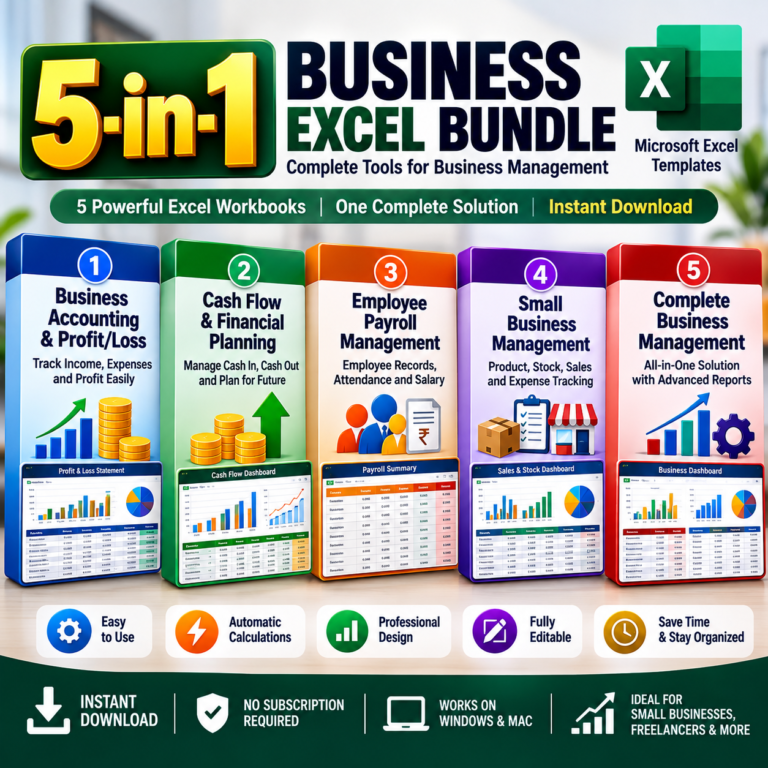
This workbook brings Products, Sales, Purchases, Expenses, Inventory/Stock and a Financial Dashboard together in one simple file. It is designed for small businesses, shop owners, resellers and anyone who wants an easy way to maintain day-to-day business records without complicated accounting software.
WHAT YOU CAN MANAGE:
• Products & Inventory
Maintain Product ID, Product Name, Category, Unit, Opening Stock, Cost Price, Selling Price and Reorder Level.
• Sales
Record each sale with Date, Invoice/Reference, Product ID, Customer, Quantity and Unit Price. The Total is calculated automatically.
• Purchases
Record stock purchased from suppliers with Date, Reference, Product ID, Supplier, Quantity and Unit Cost. Purchase Total is calculated automatically.
• Expenses
Track business expenses such as Rent, Electricity, Transport, Internet and other operating expenses. You can also record the payment mode.
• Automatic Stock Tracking
Current Stock is automatically calculated using:
Opening Stock + Purchases − Sales.
• Stock Reorder Status
The workbook automatically shows OK or REORDER based on the Reorder Level you enter.
• Automatic Dashboard
Get a quick overview of:
Total Sales
Total Purchases
Total Expenses
Gross Sales Less Purchases
Estimated Net After Expenses
Products Listed
Units in Stock
Items to Reorder
Business Financial Overview Chart
HOW TO USE:
1. Start with the Products sheet and enter your product details, opening stock, prices and reorder level.
2. Whenever you make a sale, enter it in the Sales sheet.
3. Whenever you receive stock from a supplier, enter it in the Purchases sheet.
4. Record your regular business expenses in the Expenses sheet.
5. Open the Dashboard to see the automatically updated business summary.
IMPORTANT:
Calculated fields are already prepared with formulas. For best results, do not overwrite formula cells such as Sales Total, Purchase Total, Current Stock and Stock Status.
This is a digital Excel workbook. No physical product will be shipped.
Instant Download • Ready to Use • Simple Data Entry • Automatic Calculations
Key Features
- Product & Inventory Management
- Sales Tracking with Automatic Totals
- Purchase & Supplier Tracking
- Business Expense Tracking
- Automatic Current Stock Calculation
- Automatic Stock Reorder Status
- Opening Stock & Reorder Level Management
- Automatic Financial Dashboard
- Sales, Purchases & Expenses Summary
- Business Overview Chart
- Filter & Sort Dropdowns
- Ready-to-Use Excel Formulas
- Simple & Clean Data Entry
What's Included
1 Read Me / Quick Start Sheet
Products & Inventory Sheet
Sales Tracking Sheet
Purchases Tracking Sheet
Expenses Tracking Sheet
Automatic Business Dashboard
Built-in Stock Calculation Formulas
Stock Reorder Status
Financial Summary & Chart
Requirements
Product Version
Changelog
• Products & Inventory Management
• Sales Tracking
• Purchase Tracking
• Expense Tracking
• Automatic Current Stock Calculation
• Stock Reorder Status
• Automatic Financial Dashboard
• Business Overview Chart
• Filter & Sort Support
• Built-in Read Me / Quick Start Guide