Complete Business Management – Excel Workbook

Original price was: $5.20.Current price is: $0.51.
All-in-one Excel business management workbook for Sales, Purchases, Inventory, Expenses, Suppliers, Customers, Employees, Payroll, Accounting and Cash Transactions, with an easy-to-use Business Dashboard and built-in instructions.
Version: 1.0
Requirements: Microsoft Excel or compatible spreadsheet software capable of opening .xlsx files. Microsoft Excel is recommended for the best experience.

Product Description & Details

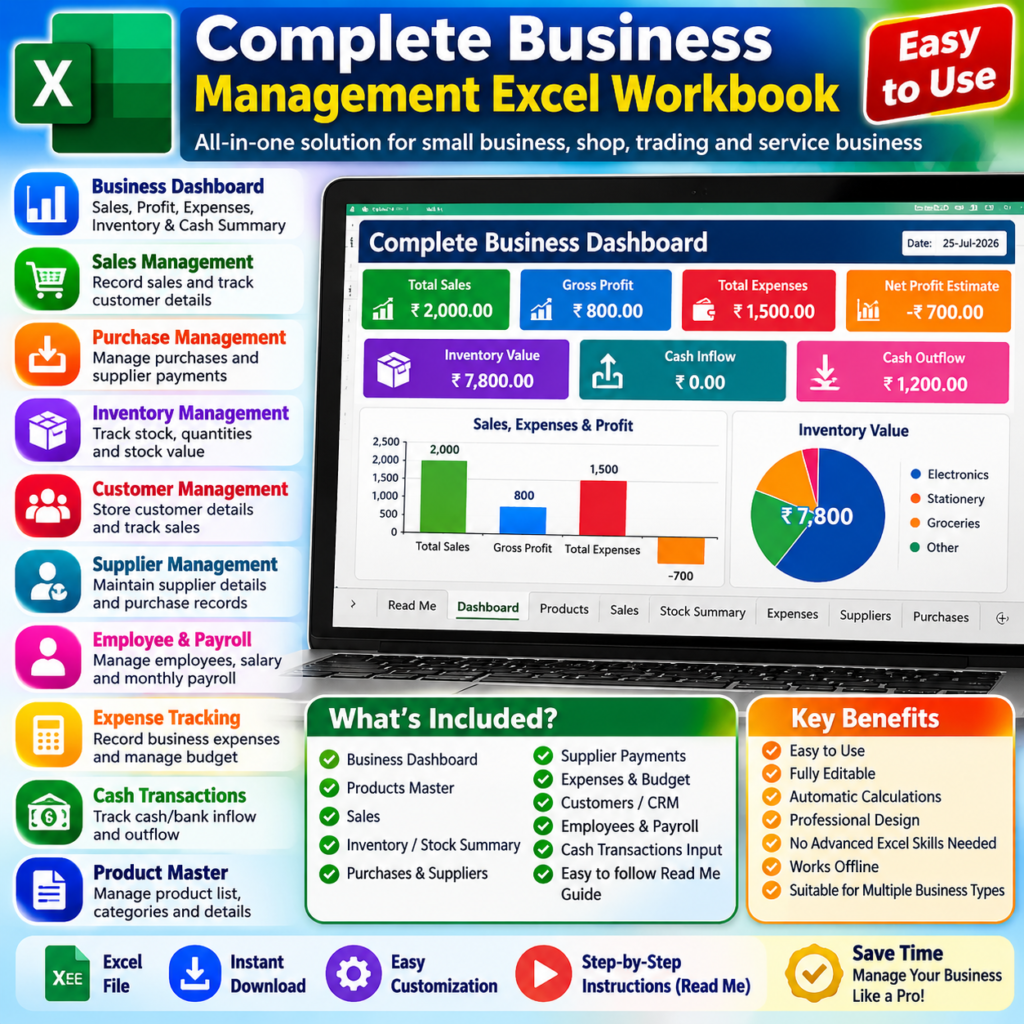
Complete Business Management Excel Workbook is an all-in-one solution designed for small businesses, shops, traders and service businesses to manage important business records in one organized Excel file.

This workbook includes Sales, Purchases, Inventory, Expenses, Suppliers, Supplier Payments, Customers/CRM, Employees, Payroll, Accounting and Cash Transactions, along with a consolidated Business Dashboard.

WHAT’S INCLUDED

• Complete Business Dashboard
• Product Master
• Sales Management
• Inventory / Stock Summary
• Purchase Management
• Supplier Management
• Supplier Payments
• Expense Tracking
• Customer / CRM Records
• Employee Management
• Payroll
• Accounting / Profit & Loss Summary
• Cash Transactions
• Built-in Read Me Guide

HOW TO USE

Start by entering your basic information in the Products, Suppliers, Customers and Employees sheets. Then use Sales, Purchases, Expenses and Supplier Payments for regular business transactions.

For cash and bank movements, enter inflow and outflow records in the Cash Transactions Input sheet. The related Dashboard figures update automatically.

IMPORTANT PAYROLL NOTE

In the Payroll sheet, Month needs to be entered manually for the required payroll period. Employee and salary-related details are calculated from the information entered in the Employees sheet.

The Dashboard provides a quick overview of Total Sales, Gross Profit, Total Expenses, Net Profit Estimate, Inventory Value, Cash Inflow and Cash Outflow.

DEMO DATA

Example/demo entries are included to help you understand how the workbook works. Replace the example information with your own business data when you start using the workbook.

KEY BENEFITS

• Easy to use
• Automatic calculations where provided
• Multiple business records in one workbook
• Fully editable Excel format
• Built-in example data
• Read Me instructions included
• No advanced Excel knowledge required
• Suitable for multiple types of small businesses

Key Features

What's Included

1 Complete Business Management Excel Workbook (.xlsx)
Business Dashboard
Product Master
Sales Sheet
Stock Summary
Expenses Sheet
Suppliers Sheet
Purchases Sheet
Supplier Payments
Customers / CRM
Employees
Payroll
Accounting Summary
Cash Transactions
Cash Transactions Input
Built-in Read Me Guide
Example / Demo Data

Changelog

Version 1.0 – Initial release. Includes Business Dashboard, Product Master, Sales, Inventory, Purchases, Suppliers, Supplier Payments, Expenses, Customers/CRM, Employees, Payroll, Accounting, Cash Transactions, demo data and built-in Read Me instructions.

Recommended Products

Related products you may find useful.

Excel & Sheets

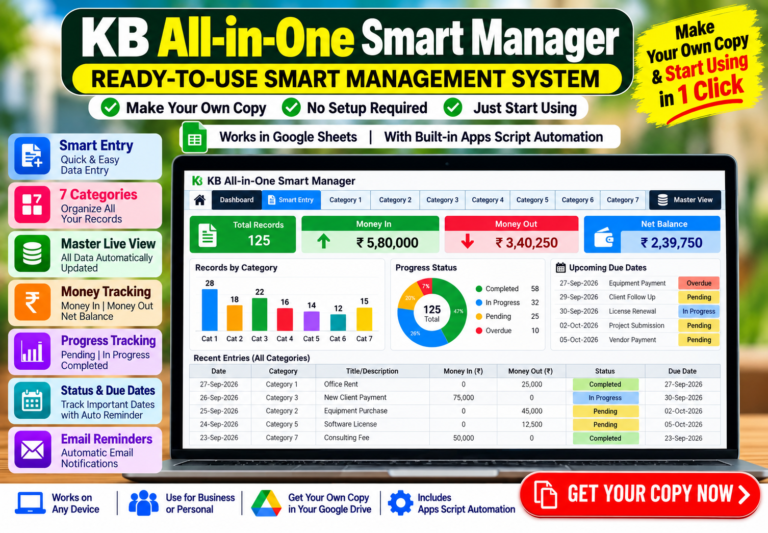
KB All-in-One Smart Manager – Google Sheets Business Management Template

Manage your business smarter with the KB All-in-One Smart Manager for Google Sheets. Includes 7 category sheets, Smart Entry, Master Live View, Dashboard, Money In/Out, Net Balance, Progress, Status & Due Date tracking, plus automated Email Reminders with Apps Script.

Product Description & Details

KB All-in-One Smart Manager – Google Sheets Business & Life Management Template

Manage your personal life, studies, business, freelance work, career, goals, habits and events from one powerful Google Sheets system.

KB All-in-One Smart Manager combines 7 management categories with Smart Entry, an automatic dashboard, category-wise filtering, financial tracking, progress monitoring, reminders and multi-country currency support.

KEY FEATURES

✓ 7 Management Categories
• Personal & Home
• Student & Study
• Business
• Freelance & Clients
• Work & Career
• Goals & Habits
• Events & Planning

✓ KB Smart Entry
Use one convenient Smart Entry panel to add and manage records across all 7 categories. Saved records automatically go to the relevant category sheet.

✓ Multi-Country & Currency Support
Choose your country and supported currency from the built-in Country / Currency Settings. Currency symbols and number formatting automatically follow the selected setting.

Note: Changing the selected currency changes the workbook’s currency display/formatting only. It does not perform exchange-rate conversion.

✓ Smart Dashboard
Get a clear overview of your records, including:
• Total Records
• Active / Pending
• Completed
• Overdue
• Urgent Attention
• Due Soon
• Money In
• Money Out
• Net Balance
• Average Progress
• Status Breakdown
• Priority Breakdown
• Category Coverage
• Financial Flow

✓ Category-Wise Dashboard Filtering
Select any individual category to view its specific results and dashboard information.

For example:
• Select Business to focus on Business records.
• Select Personal & Home to focus on Personal & Home records.
• Select All to view the combined overview of all categories together.

✓ Automatic Calculations
Important values such as Balance and Days Left are automatically calculated where applicable.

✓ Priority & Status Tracking
Organize records using priority and status information for easier monitoring and follow-up.

✓ Progress Tracking
Track progress for your activities, tasks, goals and records directly inside the system.

✓ Reminder System
Built-in reminder options are available through the KB Smart Manager menu, including Reminder Settings, Test Reminder, Enable Daily Reminder and Disable Daily Reminder.

✓ Built-in Read Me Guide
A detailed Read Me section is included inside the workbook to help users understand setup, fields, workflow, dashboard usage and important instructions.

✓ Your Own Private Google Drive Copy
After purchase, you receive a customer access guide with a direct “CLICK HERE TO CREATE YOUR COPY” button.

Simply click the button and choose “Make a copy”. Your own independent copy of the Smart Manager, including its attached Apps Script functionality, will be created in your Google Drive.

No Excel download is required for the working system.

IMPORTANT
This is a digital Google Sheets product. No physical item will be shipped.

KB DIGITAL STORE
Smart digital tools for practical everyday management.

Key Features

  • 7 Dedicated Category Sheets
  • Smart Entry System
  • Master Live View
  • Interactive Dashboard
  • Money In & Money Out Tracking
  • Automatic Net Balance
  • Progress Tracking
  • Status & Due Date Management
  • Automated Email Reminders
  • Google Apps Script Automation
  • Easy-to-Use Google Sheets System

What's Included

KB All-in-One Smart Manager Google Sheets Template
7 Category Sheets
Smart Entry System
Master Live View
Dashboard
Money In / Money Out & Net Balance Tracking
Progress, Status & Due Date Tracking
Email Reminder Automation
Apps Script Automation
Customer Access Guide PDF

Requirements

Google Account, Google Sheets and internet connection. Google Apps Script authorization is required for automation and email reminder features.

Product Version

1.0

Changelog

Version 1.0 – Initial Release

• 7 Category Sheets
• Smart Entry System
• Master Live View
• Interactive Dashboard
• Money In & Money Out Tracking
• Automatic Net Balance
• Progress Tracking
• Status & Due Date Management
• Automated Email Reminders
• Google Apps Script Automation
Original price was: $15.62.Current price is: $1.03. Add to cart
Excel & Sheets

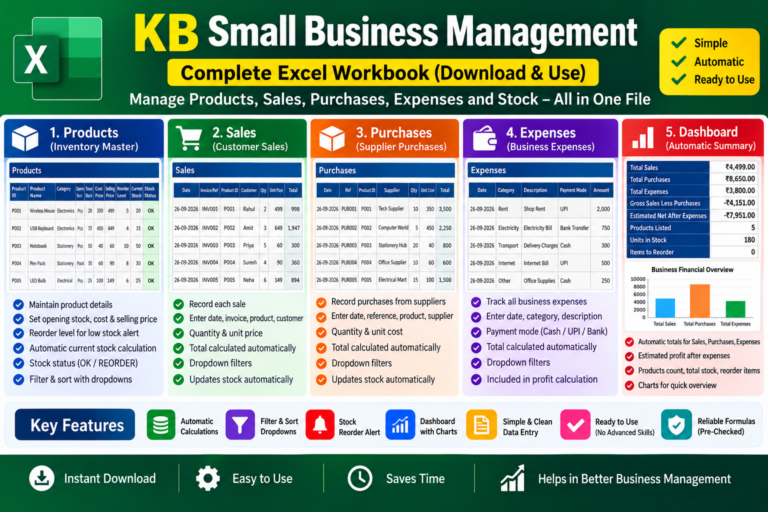
Small Business Management Excel Workbook – Sales, Purchases, Expenses, Inventory & Dashboard

A ready-to-use Excel workbook for managing Products, Sales, Purchases, Expenses and Stock in one place. ✓ Automatic Sales & Purchase Totals ✓ Automatic Current Stock ✓ Stock Reorder Status ✓ Expense Tracking ✓ Automatic Financial Dashboard & Chart ✓ Filter & Sort Support ✓ Built-in Quick Start Guide Simply enter your business data and let the workbook handle the calculations automatically. Digital Download • Excel (.xlsx) • Ready to Use

Product Description & Details

Manage your small business records easily with this ready-to-use Excel workbook from KB Digital Store.

This workbook brings Products, Sales, Purchases, Expenses, Inventory/Stock and a Financial Dashboard together in one simple file. It is designed for small businesses, shop owners, resellers and anyone who wants an easy way to maintain day-to-day business records without complicated accounting software.

WHAT YOU CAN MANAGE:

• Products & Inventory
Maintain Product ID, Product Name, Category, Unit, Opening Stock, Cost Price, Selling Price and Reorder Level.

• Sales
Record each sale with Date, Invoice/Reference, Product ID, Customer, Quantity and Unit Price. The Total is calculated automatically.

• Purchases
Record stock purchased from suppliers with Date, Reference, Product ID, Supplier, Quantity and Unit Cost. Purchase Total is calculated automatically.

• Expenses
Track business expenses such as Rent, Electricity, Transport, Internet and other operating expenses. You can also record the payment mode.

• Automatic Stock Tracking
Current Stock is automatically calculated using:
Opening Stock + Purchases − Sales.

• Stock Reorder Status
The workbook automatically shows OK or REORDER based on the Reorder Level you enter.

• Automatic Dashboard
Get a quick overview of:
Total Sales
Total Purchases
Total Expenses
Gross Sales Less Purchases
Estimated Net After Expenses
Products Listed
Units in Stock
Items to Reorder
Business Financial Overview Chart

HOW TO USE:

1. Start with the Products sheet and enter your product details, opening stock, prices and reorder level.
2. Whenever you make a sale, enter it in the Sales sheet.
3. Whenever you receive stock from a supplier, enter it in the Purchases sheet.
4. Record your regular business expenses in the Expenses sheet.
5. Open the Dashboard to see the automatically updated business summary.

IMPORTANT:
Calculated fields are already prepared with formulas. For best results, do not overwrite formula cells such as Sales Total, Purchase Total, Current Stock and Stock Status.

This is a digital Excel workbook. No physical product will be shipped.

Instant Download • Ready to Use • Simple Data Entry • Automatic Calculations

Key Features

  • Product & Inventory Management
  • Sales Tracking with Automatic Totals
  • Purchase & Supplier Tracking
  • Business Expense Tracking
  • Automatic Current Stock Calculation
  • Automatic Stock Reorder Status
  • Opening Stock & Reorder Level Management
  • Automatic Financial Dashboard
  • Sales, Purchases & Expenses Summary
  • Business Overview Chart
  • Filter & Sort Dropdowns
  • Ready-to-Use Excel Formulas
  • Simple & Clean Data Entry

What's Included

1 Ready-to-Use Excel Workbook (.xlsx)
1 Read Me / Quick Start Sheet
Products & Inventory Sheet
Sales Tracking Sheet
Purchases Tracking Sheet
Expenses Tracking Sheet
Automatic Business Dashboard
Built-in Stock Calculation Formulas
Stock Reorder Status
Financial Summary & Chart

Requirements

Microsoft Excel or compatible spreadsheet software with support for .xlsx files and formulas. Desktop/Laptop recommended for easier data entry and management.

Product Version

1.0

Changelog

Version 1.0 – Initial Release

• Products & Inventory Management
• Sales Tracking
• Purchase Tracking
• Expense Tracking
• Automatic Current Stock Calculation
• Stock Reorder Status
• Automatic Financial Dashboard
• Business Overview Chart
• Filter & Sort Support
• Built-in Read Me / Quick Start Guide
Original price was: $3.12.Current price is: $0.30. Add to cart
Excel & Sheets

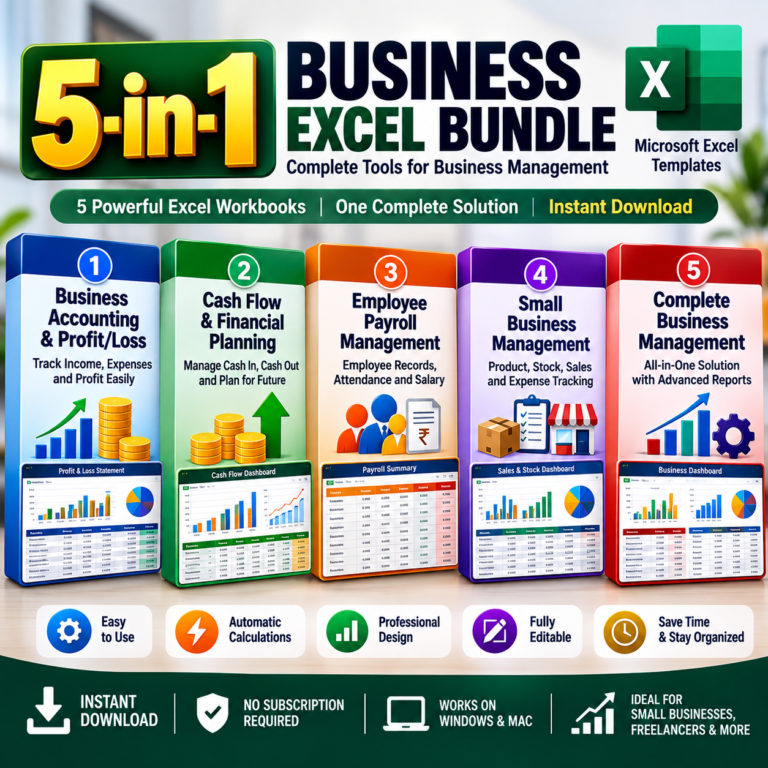
5-in-1 Business Excel Bundle – Accounting, Cash Flow, Payroll & Business Management

Get 5 ready-to-use business Excel workbooks in one complete bundle. ✓ Business Accounting & Profit/Loss ✓ Cash Flow & Financial Planning ✓ Employee Payroll Management ✓ Small Business Management ✓ Complete Business Management ✓ Automatic Calculations ✓ Dashboards & Business Summaries ✓ Editable & Easy to Use Ideal for small businesses, shop owners, freelancers and entrepreneurs. Digital Download • 5 Excel Workbooks • Ready to Use

Product Description & Details

Get 5 powerful ready-to-use business Excel workbooks in one complete bundle from KB Digital Store.

This bundle is designed for small businesses, shop owners, freelancers, entrepreneurs and business managers who want simple Excel-based tools to organize important business records without complicated software.

WHAT'S INCLUDED:

1. Business Accounting & Profit/Loss
Track business income and expenses and review Profit/Loss, Profit Margin and financial summaries.

2. Cash Flow & Financial Planning
Track cash inflow and cash outflow, monitor cash position and plan future business cash requirements.

3. Employee Payroll Management
Manage employee records, attendance and payroll-related information in an organized Excel workbook.

4. Small Business Management
Manage products, sales, purchases, expenses, inventory/stock and reorder status with an automatic business dashboard.

5. Complete Business Management
A comprehensive business management workbook for handling multiple areas of day-to-day business operations in one organized system.

WHY CHOOSE THIS BUNDLE?

• 5 separate Excel business workbooks
• Ready-to-use templates
• Automatic calculations
• Business dashboards and summaries
• Easy data entry
• Editable and customizable
• Useful for different areas of business management
• Built-in guidance/documentation
• No recurring subscription required

Instead of managing important business information in scattered files, this bundle gives you dedicated Excel tools for accounting, financial planning, payroll and business operations.

IMPORTANT:

This is a digital download. No physical product will be shipped.

Microsoft Excel or compatible spreadsheet software supporting .xlsx files and formulas is required.

Instant Download • 5 Excel Workbooks • Ready to Use • Automatic Calculations

Key Features

  • 5 Separate Business Excel Workbooks
  • Business Accounting & Profit/Loss Tracking
  • Cash Flow & Financial Planning
  • Employee Payroll Management
  • Products & Inventory Management
  • Sales & Purchase Tracking
  • Business Expense Tracking
  • Automatic Calculations
  • Business Dashboards & Summaries
  • Stock & Reorder Tracking
  • Financial Reporting
  • Ready-to-Use Excel Templates
  • Editable & Customizable
  • Built-in User Guidance
  • Digital Instant Download

What's Included

1 Business Accounting & Profit/Loss Excel Workbook
1 Cash Flow & Financial Planning Excel Workbook
1 Employee Payroll Management Excel Workbook
1 Small Business Management Excel Workbook
1 Complete Business Management Excel Workbook
Built-in Formulas & Automatic Calculations
Business Dashboards & Summary Reports
Read Me / User Guidance Sheets
Total: 5 Ready-to-Use Excel Workbooks

Requirements

Microsoft Excel or compatible spreadsheet software with support for .xlsx files and formulas. Desktop or laptop is recommended for easier data entry and business management.

Product Version

1.0

Changelog

Version 1.0 – Initial Release

• 5 Business Excel Workbooks Included
• Business Accounting & Profit/Loss
• Cash Flow & Financial Planning
• Employee Payroll Management
• Small Business Management
• Complete Business Management
• Automatic Calculations
• Business Dashboards & Summaries
• Built-in User Guidance
Original price was: $13.54.Current price is: $0.72. Add to cart
Excel & Sheets

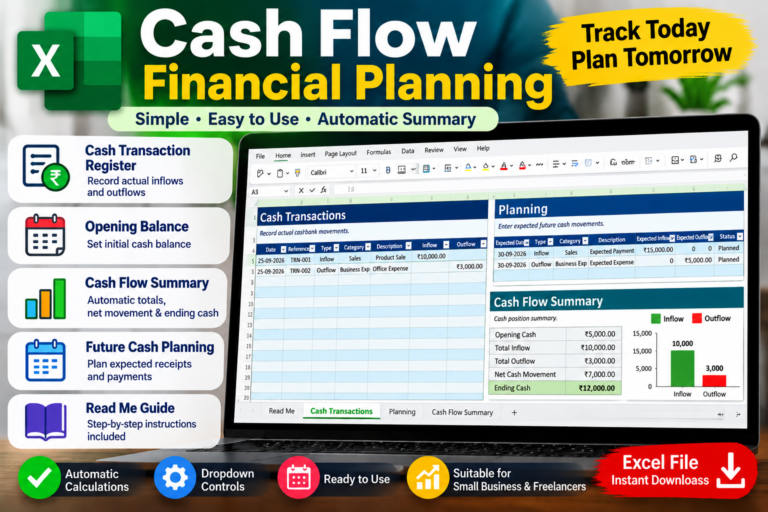
Cash Flow & Financial Planning – Excel Template

Ready-to-use Cash Flow & Financial Planning Excel Template for small businesses and freelancers. Record actual inflows and outflows, set opening cash, plan future receipts and payments, and automatically calculate net cash movement and ending cash.

Product Description & Details

Take control of your business cash flow with this ready-to-use Cash Flow & Financial Planning Excel Template.

This workbook helps small businesses and freelancers record actual cash inflows and outflows, monitor available cash, and plan expected future receipts and payments.

Key Features:
• Cash Transaction Register for recording actual inflows and outflows
• Opening Cash Balance
• Automatic Total Inflow and Total Outflow calculations
• Automatic Net Cash Movement calculation
• Automatic Ending Cash calculation
• Future Cash Planning sheet
• Inflow and Outflow dropdown controls
• Planned Status control for future transactions
• Cash Flow Summary
• Built-in Read Me guide
• Clean and easy-to-use Excel layout

The workbook includes four sheets:
• Read Me
• Cash Transactions
• Planning
• Cash Flow Summary

How to Use:
1. Enter your opening cash balance.
2. Record actual cash inflows and outflows in the Cash Transactions sheet.
3. Use the Planning sheet to record expected future receipts and payments.
4. Review the Cash Flow Summary to see your total inflow, total outflow, net cash movement and ending cash.

Note: On smaller screens or wide worksheets, you may need to use the bottom horizontal scrollbar to move left or right and view all columns. This is normal and does not mean any data is missing.

This template is designed as a cash-flow management and planning tool. It is not a substitute for professional accounting, financial or tax advice.

Digital Product: You will receive an Excel (.xlsx) file. No physical product will be shipped.

Key Features

  • Cash Transaction Register
  • Opening Cash Balance
  • Automatic Total Inflow Calculation
  • Automatic Total Outflow Calculation
  • Automatic Net Cash Movement
  • Automatic Ending Cash Calculation
  • Future Cash Planning
  • Inflow and Outflow Dropdown Controls
  • Cash Flow Summary
  • Built-in Read Me Guide

What's Included

1 Ready-to-Use Excel (.xlsx) Workbook
Read Me Sheet
Cash Transactions Sheet
Planning Sheet
Cash Flow Summary Sheet
Built-in Instructions

Requirements

Microsoft Excel or compatible spreadsheet software supporting .xlsx files

Product Version

1.0
Original price was: $3.12.Current price is: $0.30. Add to cart